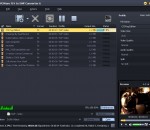
iCoolsoft DVD to MP3 Converter can help you rip audio parts from DVD movie and convert to MP3 files. It enables you to specify any audio track and any chapter to convert, it also helps you merge several audio files into one. And you are allowed to adjust all audio encoding settings to customize the output quality. Rich profiles are provided for you to directly get audio files playable on iPod, iPhone, Zune, Archos, Creative Zen and other players.
iStonsoft Free iPad Video Converter is a professional Video Converter for iPad users to convert all popular video formats including AVI, MPEG, WMV, DivX, H.264, MKV, RM, RMVB, MOV, ASF, 3GP, VOB, H.264/MPEG-4 AVC to iPad MP4 formats with super speed and excellent quality, as well as extract background music from videos and convert them to iPad audio fotmats.
iCoolsoft PSP Movie Maker can help you convert any audio/video files to the formats compatible with your PSP and even rip any DVD to PSP audio/video formats. You can adjust the Brightness, Contrast, and Saturation to improve the quality; trim any time length of clips to get rid of the parts you do not like of the original movie; and add text/picture watermark to show your special idea. It also supports output files for many other devices.
AnyMP4 FLAC Converter is able to convert FLAC to MP3, MP2, WAV, WMA, AAC, ALAC, AC3, AIFF, M4A and more. Besides, it enables you to convert FLV, SWF, F4V to other video formats like MP4, MKV, AVI, WMV, MOV, M4V, etc. and audio formats such as MP3, WAV, WMA, AAC, ALAC, AC3, AIFF, M4A and s on. Thus, you can easily play them on iPhoneSE, iPhone 6/6 Plus, iPad Air, iPad mini 3, iPod, Galaxy S7, etc.
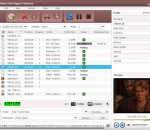
iCoolsoft Media Converter Pack is a comprehensive program which consists of DVD Ripper and Total Video Converter. It can help you convert DVD movies and general videos to other popular video formats like MP4, MOV, AVI, FLV, M4V, etc. You are allowed to edit the output videos with wonderful editing functions. These converted videos are able to play on your portable devices. And you can convert your files in batch.
WinX Free AVI to iPod Converter is a professional and free AVI to iPod converting software which is committed to transfer video files from AVI formats to iPod. This free video converter is fully compatible with iPod touch, iPod nano, etc. It offers superb video/audio quality and super fast converting speed. With this free converting solution, you can easily transfer AVI video files to iPod video format.
iCoolsoft BlackBerry Video Converter is a professional video/audio converter, which can enable you to convert all popular video/audio files to BlackBerry supported movie and music files for your mobile enjoyment on BlackBerry. Besides directly get all videos played on BlackBerry, you can also use this tool to edit videos as you like.Powerful editing functions are provided for you to create personalized video.
Manage your music files efficiently. Convert MP3, FLAC, M4A/M4R/M4B, VOC, SHN, audio TS, OGG, etc. Use Batch mode to convert several files. Edit audio files before conversion. Trim, cut, merge, apply effects. Export and convert audio files from videos and much more! Soft4Boost Audio Converter is a part of Soft4Boost package. Register once and use all tools from the www.Soft4Boost.com. Subscribe for $24.95/year or $39.95/lifetime.
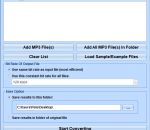
This software offers a solution to users who want to convert one or more MP3 audio files into MP4. The user chooses the file/s or an entire folder to be processed before starting the conversion. Using this time saving software, even large numbers of files can be handled with one click.
iPad Video Converter Factory Pro 4 is a professional and powerful iPad video converter. iPad Video Converter Factory Pro, enables you to convert any video (including AVI, MPEG, WMV, DivX, MP4, MOV, ASF ,3GP, etc. and audio (WMA, AC3, OGG, MP3, CDA etc. ) to iPad compatible video/audio formats, within few clicks. Then you enjoy your entire movie and music collection on your iPad!
Free AVI to MP4 Converter is a simple utility that lets you convert your AVI videos to MP4 format. The program works very fast and has a straightforward interface. Just drag and drop AVI video files into the application and click the Convert to MP4 button.